Embark on a humorous yet enlightening journey into the chaos of DIY computer upgrades. What begins as a simple task often spirals into tangled cables, missing screws, and hardware hijinks, transforming a technical chore into a comedy of errors. From incompatible parts to the infamous disappearing screw, each mishap becomes a memorable lesson in patience and resilience. Does managing this electronic jungle require more than just technical know-how? Absolutely—success hinges on humor, preparation, and a willingness to laugh at setbacks. As you navigate this tangled web, you’ll learn that perfection isn’t the goal; growth, learning, and a good sense of humor are what turn frustration into fun. Are you ready to turn chaos into camaraderie and frustration into a story worth sharing? Dive into this adventure and discover that even in the messiest moments, there’s room for progress and plenty of laughs.
Embrace the Humorous Chaos of DIY Computer Upgrades
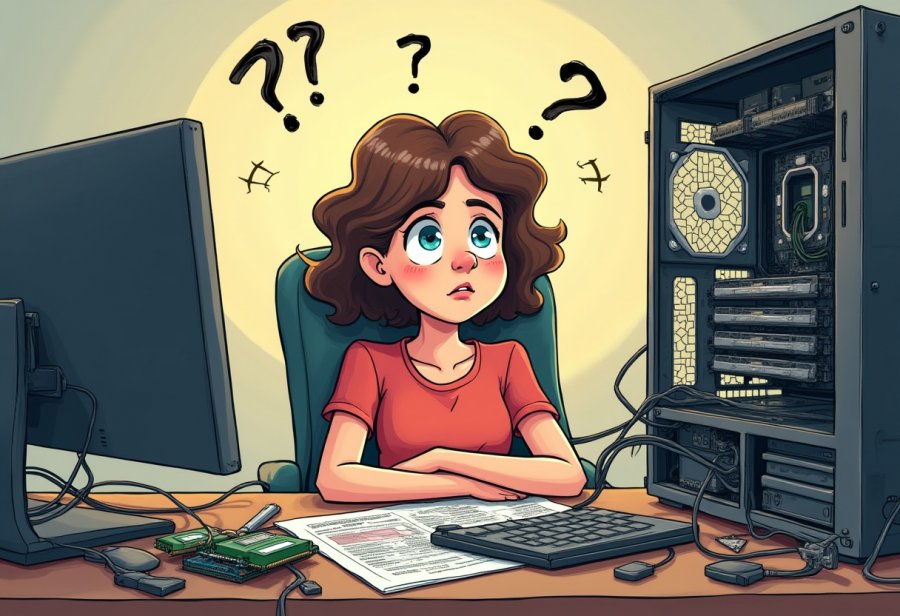
Starting a DIY computer upgrade sounds simple enough—just swap out a component or two, and you’re good to go. But anyone who’s actually tried it knows the reality is often far messier than the tutorials suggest. You open your case expecting a quick boost in speed or performance, only to find yourself surrounded by a tangle of cables, tiny screws hiding in the corners of your desk, and unfamiliar hardware that doesn’t quite cooperate. It’s a scene that can quickly shift from confident anticipation to humorous chaos.
This is where the real adventure begins. Instead of a smooth, step-by-step process, DIY upgrades often turn into a comedy of errors. Cables twist into knots, screws seem to vanish into thin air, and hardware refuses to fit or seat correctly. You might find yourself wrestling with a graphics card that won’t slide into place or RAM that isn’t recognized, despite multiple re-seatings. These moments of frustration are common but often hilarious in hindsight, especially when you recount the mishaps to friends or online communities.
Managing all the wires inside your case adds another layer of chaos. No matter how carefully you plan, cables tend to multiply and twist into nests that resemble a bird’s nest more than a tidy setup. Sometimes, a zip tie snaps just when you think you’ve got everything under control, leaving you with a tangled mess that’s almost impossible to troubleshoot later. These small disasters tend to happen when you’re in a hurry or feeling overly confident, turning what seemed like a straightforward task into a comedy sketch.
Despite these setbacks, many DIY enthusiasts find humor in the chaos. It’s an essential part of the experience—an unspoken rite of passage that teaches patience and resilience. Every misplaced screw or incompatible part becomes a badge of honor, proof that you’re learning and growing in your tech skills. These stories of chaos and mishaps often become funny anecdotes, reminding us that perfection isn’t the goal—learning, laughing, and having fun along the way are what truly matter.
In the end, approaching a computer upgrade with a sense of humor makes the process far more enjoyable. When cables are tangled and screws go missing, stepping back and laughing at the situation helps keep frustration in check. Recognizing that mistakes are part of the journey allows you to see setbacks as learning opportunities rather than failures. This mindset transforms a potentially stressful experience into a memorable adventure, one that’s as much about personal growth as it is about hardware.
Master the Art of a Seamless Tech Upgrade: Tools and Steps Unveiled
Once you’re ready to upgrade, the first step is gathering the right tools and parts. Double-checking compatibility before purchasing can save a lot of headaches later. Take a moment to review your motherboard’s specifications—what type of RAM it supports, maximum storage capacity, and whether your power supply can handle a new graphics card. A little research upfront prevents surprises during assembly and ensures everything fits and functions properly.
Next, assemble your toolkit. A good Phillips-head screwdriver is essential, preferably magnetic to keep tiny screws from rolling away. An anti-static wrist strap is a must-have to prevent static electricity from damaging sensitive components. Clear space on a clean surface for your tools and parts, so everything is within reach. Staying organized not only speeds up the process but also reduces the risk of dropping or losing small pieces mid-assembly.
Powering down and unplugging your computer is the first physical step. Removing the side panel usually involves unscrewing a few screws at the back. Once inside, grounding yourself with the anti-static strap is crucial—static shocks can fry your motherboard or RAM. As you disconnect cables, note or label where each one goes. This makes reassembly easier, especially when working with multiple similar-looking wires.
Removing old hardware can be tricky, especially if components are snug or cables block access. Gently detach RAM sticks by pressing the clips on each side, and carefully unscrew the graphics card. Patience is key—forcing parts can cause damage or bend pins. When installing new hardware, ensure everything seats properly; loose connections are often the culprit behind startup issues. Reconnect all cables, making sure they’re snug but not forced, and check that everything is in place before powering up.
Cable management is the final touch inside your case. No matter how neatly you plan, wires tend to multiply and twist into knots. Using zip ties or Velcro straps helps keep things tidy, which improves airflow and makes future upgrades easier. Labeling cables before disconnecting saves time if troubleshooting becomes necessary later. A clean setup not only looks better but also makes working inside your PC less frustrating.
Finally, reassemble the case and power up. If your system boots and recognizes all new hardware, you’re on the right track. If not, don’t panic—common issues include loose cables, incompatible parts, or outdated BIOS settings. Retrace your steps, recheck connections, and update firmware if needed. Troubleshooting becomes a systematic process: reseat components, verify connections, and consult online resources when necessary. With patience and careful attention, what once seemed complex becomes manageable, turning your upgrade into a satisfying achievement.

Laugh Through the Mishaps: The Hilarious Realities of Building Your PC
When you start a DIY computer upgrade, reality rarely matches the sleek tutorials and perfectly organized toolkits. Instead, it often feels like stepping onto a comedy set, where tangled cables, missing screws, and hardware that refuses to cooperate are the stars of the show. One classic moment is discovering that a tiny screw has vanished into the depths of your desk or that a cable somehow slipped out of its socket just when you thought you had everything under control. These small mishaps might seem trivial but tend to turn into hilarious stories once the dust has settled.
Another common scene involves hardware surprises. Maybe you ordered a shiny new graphics card only to find it’s too big for your case, forcing you to get creative—sometimes painfully so. Or perhaps you installed the wrong type of RAM because you didn’t double-check compatibility, resulting in a failed boot or system error. These missteps are frustrating in the moment but often hilarious after the fact, especially when recounting the chaos to friends or online forums. They remind us that perfection isn’t the goal—learning to laugh at the chaos is part of the process.
Cable management is a never-ending source of humor. No matter how carefully you plan, wires tend to multiply and twist into knots that resemble a bird’s nest more than a tidy setup. A zip tie snaps at the worst possible moment, or a Velcro strap fails to hold a stubborn cable, leaving your case looking like a spaghetti dinner gone wrong. These tangled webs can turn troubleshooting into a full-blown scavenger hunt, testing patience and creativity. Yet, somehow, these moments become funny anecdotes that make the whole experience memorable.
Hardware mishaps often become the punchline of the upgrade story. Installing incompatible parts, like trying to fit a RAM stick into the wrong slot, can cause crashes or no boot at all. Forgetting to connect a power cable or seating a graphics card incorrectly might leave your system silent and unresponsive, prompting frantic troubleshooting. These errors seem obvious in hindsight but are part of the learning curve. They highlight that even seasoned builders face hiccups, making the failures more relatable and amusing in retrospect.
Many of these mishaps turn into shared jokes within online communities. The missing screw, the tangled mess of cables, or the hardware that simply refuses to cooperate—these stories bond DIYers everywhere. They serve as a reminder that nobody’s build is perfect, and mistakes are just part of the journey. Embracing the chaos with humor keeps frustration at bay and transforms setbacks into opportunities for growth and storytelling. It’s all about seeing the funny side of tech trouble and knowing that each blunder brings you closer to becoming more skilled and resilient.
In the end, the chaos of DIY upgrades isn’t just about fixing hardware—it’s about building patience, resilience, and a sense of humor. These moments of failure, frustration, and tangled wires are often the most memorable parts of the process. They teach us that perfection isn’t necessary; persistence and a good laugh are what make the journey worthwhile. After all, some of the best stories come from the messiest projects, and every mishap is just another chapter in your tech adventure.
Turn Troubles into Triumphs: Engaging Strategies to Handle Upgrade Chaos with Humor
Approaching DIY computer upgrades with a sense of humor and patience can completely transform a potentially stressful mess into an enjoyable experience. When cables are tangled and screws seem to be playing hide-and-seek, stepping back and sharing a laugh helps prevent frustration from taking over. Recognizing that mistakes are just part of the process makes it easier to stay calm and focus on the next step, turning setbacks into learning moments rather than failures.
Patience is key when navigating the inevitable quirks of a build. Taking the time to carefully read manuals, watch tutorials, and verify compatibility before diving in can save hours of frustration later. Labeling cables as you disconnect them might seem tedious, but it simplifies reassembly and reduces the risk of errors. When problems crop up, resist the urge to panic—systematic troubleshooting like reseating components or checking connections often reveals simple fixes, like a loose cable or outdated BIOS. A measured approach keeps the process manageable and less overwhelming.
Online tutorials and tech forums become invaluable allies during these moments. They offer step-by-step guidance, troubleshooting tips, and even a dose of comic relief when you need it most. Sharing your mishaps with others not only provides fresh ideas but also reminds you that everyone faces hardware hiccups. Embracing this shared experience keeps your spirits high and reinforces that perfection isn’t the goal—learning and humor turn chaos into camaraderie.
Cable management can be tedious, but turning it into a creative project adds an engaging element to your upgrade. Using zip ties, Velcro straps, or even household twist ties can turn a tangled web into a tidy, airflow-friendly setup. Not only does this look better, but it also makes future upgrades easier and troubleshooting less frustrating. A well-organized interior reduces stress and makes working inside your PC feel less like a chore and more like a craft.
The secret to turning chaos into comedy is accepting that mistakes are inevitable and part of the journey. When cables knot up or hardware refuses to cooperate, stepping back and laughing at the situation keeps frustration in check. Recognizing that setbacks are normal helps you stay positive and patient, transforming what seems like a disaster into a memorable story. This mindset not only makes the process more enjoyable but also builds resilience, so each mishap becomes a stepping stone toward becoming more confident and skilled.
Lessons from the Labyrinth: Key Insights from the Wild World of DIY Upgrades
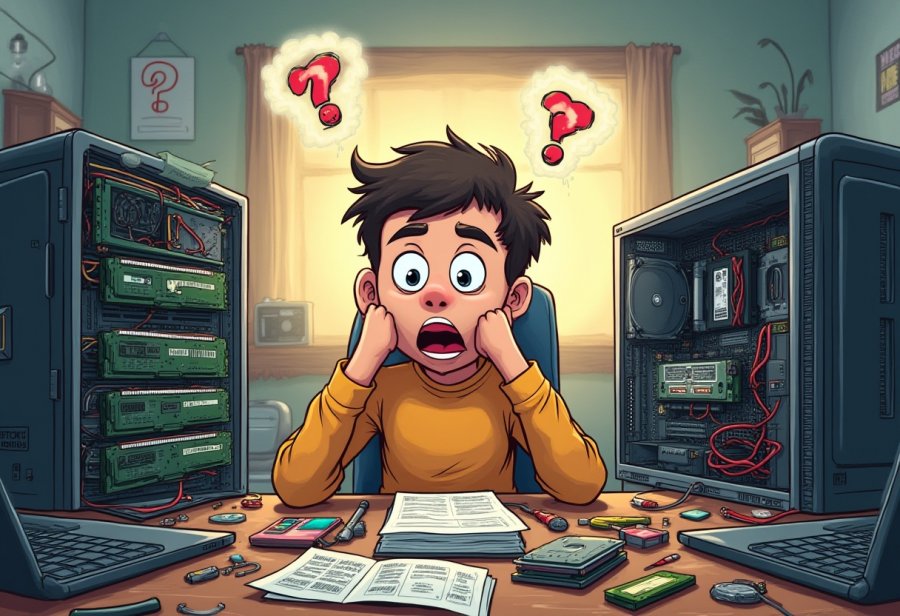
The chaos of DIY computer upgrades teaches us more than just hardware skills; it highlights the value of patience and adaptability. Rushing through a build almost guarantees overlooked steps, loose connections, or missed details. Taking your time, verifying each component, and approaching problems methodically can turn a frustrating experience into a smooth, rewarding process. Every mistake, whether a missing screw or an incompatible part, becomes a stepping stone to a deeper understanding of how your machine works and how its parts fit together.
Preparation is key to minimizing chaos. Organizing your tools, reading manuals, and double-checking compatibility before you start can save hours of frustration. When you’re well-prepared, the build feels less overwhelming and more manageable. This proactive mindset not only reduces errors but also boosts confidence, making troubleshooting feel like a puzzle rather than a crisis. A little planning transforms a chaotic project into a learning adventure with a satisfying payoff.
Recognizing that setbacks are inevitable helps you stay positive and resilient. Whether it’s tangled cables or hardware that refuses to cooperate, viewing these moments as part of the journey keeps frustration in check. Humor plays a crucial role—laughing at the chaos makes the process more enjoyable and fosters patience. Sharing stories of mishaps and troubleshooting wins with others creates a sense of community, showing that even experienced builders face hurdles. It’s the resilience and good humor that turn these struggles into memorable lessons.
Troubleshooting sharpens your skills and deepens your understanding. Re-seating components, rechecking connections, and updating firmware become routine steps that build confidence over time. Each challenge faced and overcome adds to your expertise, making future upgrades smoother and less stressful. The more you work inside your PC, the more you see these hurdles as opportunities to learn, grow, and refine your craft.
Ultimately, the chaos of DIY upgrades isn’t just about hardware—it’s about developing a mindset. Patience, preparedness, humor, and resilience turn what could be a stressful mess into a series of valuable lessons. These experiences teach us that perfection isn’t necessary; persistence and a sense of humor make the journey enjoyable. Every tangled wire and misstep becomes part of your story, reminding you that growth often comes from the most chaotic moments. Embracing this chaos makes you not only a better builder but also a more adaptable and resilient thinker.